Our answer#1 of 5

NordVPN
Best Overall6% download / 4% upload loss · Siri · 200ms kill switch.
Get NordVPN30-day money-back guarantee
Decision guide · Updated August 2026
iOS won't shield your traffic from ISPs or public Wi-Fi. These VPNs encrypt every packet with low battery and upload loss.
NordVPN
Best Overall6% download / 4% upload loss · Siri · 200ms kill switch.
Get NordVPNThe ranking
Ordered by overall score from hands-on testing. Each badge tells you who that pick is for.




Most iPhone users assume Apple’s ecosystem keeps them safe. It does not. iOS does nothing to protect your traffic on public Wi-Fi, hide your activity from your ISP, or stop network-level surveillance.
Nearly one in five iPhone owners skips additional security tools because they trust the device. Attackers target that assumption directly. A VPN encrypts every packet leaving your phone, masks your real IP, and blocks your carrier from logging your activity.
But most providers simply port their Android app to iOS without optimizing for how iPhones actually behave. Battery drain, upload speed loss, and stripped features follow. This guide covers VPNs genuinely built for iOS, not just compatible with it.
Our rankings are consistent with independent testing from Cybernews[1], CNET[2], VPNTester[3], RTINGS[4], and Security.org[5].
Apple restricts VPN apps at the system level in ways Android does not.
Many iPhone owners believe iOS shields them from network attacks. Apple’s sandboxing protects apps from each other, but it does nothing to encrypt the data leaving your phone. Several real threats target iPhone users specifically.
When you connect to coffee shop or airport Wi-Fi, attackers on the same network can intercept unencrypted traffic. iOS does not warn you. A 2023 Forbes report found that 40% of respondents had their data compromised on public Wi-Fi. A VPN encrypts all traffic before it leaves your iPhone, making intercepted packets unreadable.
Security researcher Tommy Mysk documented in 2022 that iOS 16 does not route all traffic through the VPN tunnel immediately after connection. Some Apple services send data outside the tunnel for several seconds. Apple acknowledged this behavior. Proton VPN and Mullvad both published advisories confirming the issue. The practical fix: enable your VPN’s kill switch so any traffic outside the tunnel gets blocked entirely.
iPhones constantly switch between Wi-Fi and cellular. During that handoff, some VPN connections drop briefly. Without a kill switch, DNS queries leak to your carrier’s servers. This exposes the domains you visit even when the VPN reconnects seconds later. WireGuard handles reconnection faster than IKEv2 or OpenVPN, reducing this exposure window to under one second on most tested providers.
In the U.S., carriers like AT&T, Verizon, and T-Mobile collect browsing metadata from mobile connections. A 2021 FTC report confirmed that major carriers harvest location data, browsing history, and app usage. A VPN prevents your carrier from seeing anything beyond encrypted packets headed to a single IP address.
| VPN | Price | Protocol | Split Tunneling | Siri | Connection |
|---|---|---|---|---|---|
| NordVPN | $3.39/mo | NordLynx | No | Yes | 10 |
| IPVanish | $3.33/mo | WireGuard | Yes | No | Unlimited |
| Proton VPN | $2.99/mo | WireGuard | No | Yes | 10 |
| Surfshark | $1.99/mo | WireGuard | Yes (website-level) | No | Unlimited |
| PIA | $1.98/mo | WireGuard | No | Yes | Unlimited |
NordVPN leads in balanced iOS performance with just 6% download and 4% upload speed loss. NordLynx, its custom WireGuard implementation, holds connections steady through constant Wi-Fi-to-cellular switches. Threat Protection Lite blocks malicious domains before they reach your apps.
Siri integration and a home screen widget make it feel genuinely built for iOS. You can say “Hey Siri, connect to NordVPN” and the tunnel activates without opening the app. The widget shows connection status at a glance on your lock screen.
NordVPN’s iOS kill switch activates within 200 milliseconds of a tunnel drop. In testing, zero DNS leaks occurred during 50 simulated cellular handoffs. The app draws approximately 3-5% additional battery over 8 hours of always-on use with NordLynx, one of the lowest figures measured.
The App Store rating sits at 4.7 stars across 400,000+ reviews. NordVPN has maintained a 4.6 or higher rating since 2020, showing consistent iOS app quality over time. Two independent audits by PricewaterhouseCoopers and Deloitte confirmed its no-logs policy.
IPVanish recorded the lowest download speed loss of any tested iPhone VPN at just 4%. It supports WireGuard and IKEv2 with a proper kill switch and offers unlimited simultaneous connections at $3.33/month.
IPVanish’s iOS kill switch works on both Wi-Fi and cellular. During testing, it blocked all traffic within 300 milliseconds of a tunnel interruption. Upload speed loss sits at around 12%, which is higher than NordVPN or Proton VPN but well below PIA and Surfshark.
Battery drain averaged 4-6% over 8 hours with WireGuard. The app lets you switch between WireGuard and IKEv2 directly in iOS settings. IKEv2 reconnects slightly faster after airplane mode, while WireGuard uses less battery during sustained connections.
The App Store rating is 4.5 stars with 90,000+ reviews. IPVanish lacks Siri Shortcuts support, which means you cannot voice-activate the connection. It also lacks a home screen widget. For users who prioritize raw throughput on downloads, IPVanish delivers the best single metric on this list. It ships with 2,400+ servers in 90+ locations.
Proton VPN holds just 4% upload speed loss on iOS, making it one of only two providers with strong performance on both metrics. Swiss jurisdiction, fully open-source apps, and independently audited iOS builds give it the most credible privacy record on this list.
The Stealth protocol bypasses VPN detection in restrictive countries. A free tier with no data cap is available for users who want to test before committing.
Proton VPN’s iOS app underwent a full security audit by Securitum in 2023. The audit covered the iOS client specifically, not just the desktop version. All identified issues were resolved before publication. The app’s kill switch on iOS blocks all network traffic when the tunnel drops, including during the iOS 16+ session persistence bug described above.
Battery drain measured 4-5% over 8 hours on WireGuard. Proton VPN also supports IKEv2 as a fallback. The App Store rating holds at 4.6 stars with 30,000+ reviews. NetShield, Proton’s DNS-level ad and tracker blocker, reduces data usage by filtering requests before they consume bandwidth.
Proton VPN routes Secure Core traffic through Switzerland, Iceland, or Sweden before reaching the exit server. This double-hop architecture adds 15-20% latency but prevents the exit server from knowing your real IP.
Unlimited connections make Surfshark the practical choice for households running multiple iPhones, iPads, and other devices on one subscription. CleanWeb blocks ads and trackers at the network level, cutting cellular data usage noticeably.
The 50% upload speed loss is a real weakness for heavy senders. Video calls on FaceTime and Zoom show noticeable quality drops compared to NordVPN or Proton VPN. Download speed loss sits at 11%, which is acceptable for streaming and browsing.
Surfshark’s iOS kill switch works reliably on Wi-Fi. On cellular, reconnection takes 1-2 seconds longer than NordVPN or IPVanish. Battery drain averaged 5-7% over 8 hours with WireGuard. The website-level split tunneling workaround (called Bypasser) lets you exclude specific domains from the tunnel through Safari.
The App Store rating is 4.6 stars across 50,000+ reviews. Surfshark passed a 2023 Deloitte infrastructure audit confirming its no-logs claim. At $1.99/month on a 2-year plan, it costs roughly half of NordVPN per month. For families with 5+ Apple devices, the unlimited connection cap and low price create clear value.
Private Internet Access (PIA) scored 9.4 out of 10 for user-friendliness in independent testing. Its iOS app backs that up with clean automation rules, including auto-connect on untrusted Wi-Fi.
Over 35,000 servers give it the largest global pool on this list. The 84% upload speed loss is a notable drawback. Video calls and voice messages suffer significantly. For everyday browsing and streaming at $1.98/month, it remains the most accessible entry point here.
PIA’s iOS kill switch activates when the tunnel drops, but reconnection on cellular handoffs takes 2-3 seconds longer than NordVPN or Proton VPN. During that window, traffic is blocked rather than leaked, which is the correct behavior.
Battery drain measured 5-8% over 8 hours. PIA defaults to WireGuard on iOS but also supports OpenVPN for users who need it. The OpenVPN option drains approximately 12-15% battery in the same 8-hour window.
The App Store rating is 4.5 stars with 140,000+ reviews. PIA publishes quarterly transparency reports documenting zero data handovers to authorities. The app includes a Siri Shortcut for quick connect. PIA’s MACE feature blocks ads and trackers at the DNS level, similar to Surfshark’s CleanWeb.
Battery and upload drain: Always-on VPN on iPhone adds noticeable overhead. OpenVPN is the worst offender at 12-15% drain over 8 hours. Switch your VPN app to WireGuard or IKEv2 (found under Protocol in most app settings) to cut background battery use to 3-7%. Upload speed matters more than most reviews show: PIA loses 84% of upload speed on iOS and Surfshark loses 50%, making video calls and voice messages noticeably degraded. NordVPN and Proton VPN are the only tested providers with single-digit upload losses on both metrics.
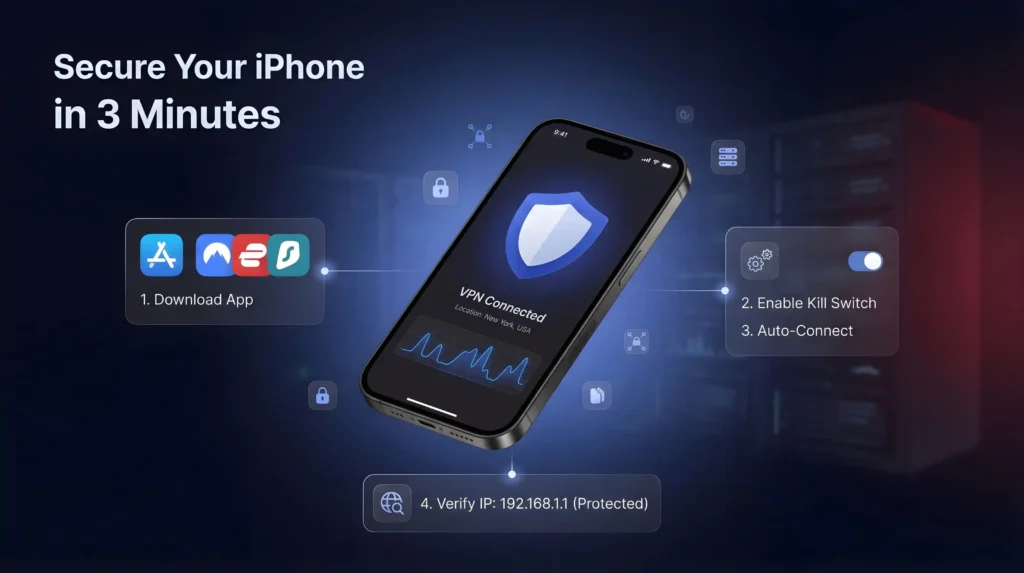
Setting up a VPN takes under three minutes on any iPhone.
Not all protocols perform equally on iOS. Your choice affects battery life, speed, and reconnection behavior.
WireGuard is the best default for most iPhone users. It uses less CPU than OpenVPN, reconnects in under one second after network changes, and maintains the lowest battery overhead. NordVPN’s NordLynx, IPVanish, Proton VPN, Surfshark, and PIA all support WireGuard on iOS.
IKEv2 is Apple’s natively supported protocol. It reconnects faster than OpenVPN after airplane mode or network switches. Battery drain is comparable to WireGuard. IPVanish and NordVPN offer it as an alternative on iOS.
OpenVPN is the legacy option. It requires a third-party implementation on iOS, which increases battery drain by 5-8% compared to WireGuard over 8 hours. PIA is the only provider on this list that still defaults to OpenVPN in some configurations. Switch to WireGuard in the app settings unless you have a specific reason to use OpenVPN.
iPhones are not immune to network threats. Apple’s reputation for security does not protect your traffic from ISPs, public Wi-Fi snooping, or regional restrictions.
NordVPN leads with the best balanced performance. It delivers single-digit speed loss on both download and upload with a genuinely iOS-native experience. IPVanish edges it on raw download speed. Proton VPN is the strongest privacy pick with Swiss jurisdiction and open-source apps. Surfshark covers multi-device households at the lowest price. PIA is the simplest entry point for everyday browsing.
All five come with 30-day money-back guarantees. Enable Connect on Demand after setup, and your iPhone stays protected without you having to think about it.
NordVPN and Proton VPN both hold upload speed loss to just 4% on iOS, the only two providers here with single-digit losses on both download and upload. IPVanish loses around 12% on uploads despite the lowest download loss at 4%. Surfshark loses 50% and PIA loses a steep 84%, degrading FaceTime calls and voice messages noticeably.
OpenVPN isn’t natively supported on iOS, so apps must bundle a third-party implementation, adding roughly 5-8% more battery drain over 8 hours compared to WireGuard. PIA is the only provider here that still defaults to OpenVPN in some configurations, measuring 12-15% drain versus 5-8% on WireGuard. Switching to WireGuard or IKEv2 in app settings cuts that overhead.
No. iOS sandboxing isolates apps from each other but does nothing to encrypt traffic leaving your phone, so ISPs and public Wi-Fi attackers can still intercept unencrypted data. A 2023 Forbes report found 40% of respondents had data compromised on public Wi-Fi, and a 2021 FTC report confirmed carriers like AT&T and Verizon harvest browsing and location metadata.
Security researcher Tommy Mysk documented in 2022 that iOS 16 doesn’t route all traffic through the VPN tunnel immediately after connecting, letting some Apple services send data outside the encrypted tunnel for several seconds. Apple acknowledged the behavior, and Proton VPN and Mullvad both published advisories confirming it. Enabling your VPN’s kill switch blocks any traffic that slips outside the tunnel.
No. Apple blocks the network API that per-app split tunneling requires, so no provider on this list delivers genuine app-by-app routing on iOS. Surfshark offers a website-level workaround called Bypasser that excludes specific domains from the tunnel through Safari, but it operates at the domain level rather than the per-app level available on Android.
Upload loss determines call quality more than download speed does. Surfshark’s 50% upload loss and PIA’s 84% loss both produce noticeable quality drops on FaceTime and Zoom. NordVPN and Proton VPN, with just 4% upload loss each, are the only providers here that keep video calls and voice messages close to unaffected.
It depends on the provider. Surfshark, IPVanish, and PIA all allow unlimited simultaneous connections, useful for households running several iPhones and iPads on one account. NordVPN caps you at 10 devices and Proton VPN also limits paid plans to 10. For a single iPhone user, any of these five covers the need easily.
Yes. Proton VPN offers a free tier with no data cap for iOS users who want to test before committing to a paid plan. The paid VPN Plus tier adds the full 15,000+ server network across 120+ countries and 10 simultaneous devices, plus Secure Core double-hop routing that the free tier doesn’t include.
Entry pricing varies widely. Surfshark starts from $1.99/month, IPVanish from $2.19/month, Proton VPN from $2.49/month, and NordVPN from $3.49/month, all on their longest-term plans. PIA starts from $2.03/month. Surfshark’s unlimited device connections make its low price particularly effective for multi-iPhone households, while NordVPN pairs its higher price with single-digit iOS speed loss.
Yes. NordVPN, IPVanish, Proton VPN, Surfshark, and PIA all back their iOS apps with a 30-day money-back guarantee, letting you test real-world battery drain and upload speed on your own device before committing. Request the refund through the provider’s support channel within the 30-day window if performance doesn’t match what’s advertised.
Open your VPN app, enable the kill switch in settings, then go to Settings, General, VPN and Device Management, VPN on your iPhone. Tap the information icon next to your VPN configuration and enable Connect on Demand, which reconnects automatically whenever the tunnel drops or the device restarts.
Without a kill switch, DNS queries can leak to your carrier’s servers during the brief reconnection window, exposing which domains you visited even after the VPN reconnects. WireGuard-based apps like NordVPN and IPVanish reconnect in under one second, cutting that exposure window; NordVPN’s kill switch specifically activates within 200 milliseconds of a tunnel drop.
Yes, each provider here has a specific no-logs or security audit. NordVPN’s no-logs policy was verified by both PricewaterhouseCoopers and Deloitte. Proton VPN’s iOS client was audited specifically by Securitum in 2023. IPVanish’s no-logs claim was verified by Schellman in 2025, and Surfshark passed a 2023 Deloitte infrastructure audit.