Our answer#1 of 4

NordVPN
Best OverallJust 3 to 6% speed loss on NordLynx · fastest in our tests.
Get NordVPN30-day money-back guarantee
Decision guide · Updated August 2026
The fastest VPNs use modern protocols like WireGuard and NordLynx to keep speed loss in the single digits. These lost the least in our tests.
NordVPN
Best OverallJust 3 to 6% speed loss on NordLynx · fastest in our tests.
Get NordVPNThe ranking
Ordered by overall score from hands-on testing. Each badge tells you who that pick is for.



Staying private online matters, but nobody wants to trade speed for it. The wrong VPN can turn streaming into a buffering nightmare. It can ruin online matches with lag and drag browsing to a crawl.
The best VPNs keep encryption strong and speeds high. Here’s what actually makes a VPN fast, which providers lead the pack and how to squeeze the most speed from your connection.
A VPN encrypts your traffic and routes it through remote servers. That process naturally slows things down. The fastest VPNs minimize that loss using modern technology.
These are the factors that matter most:
For users who prioritize privacy over raw performance, our best VPN for privacy guide ranks providers by encryption, jurisdiction and no-logs verification.
We tested on a 1 Gbps baseline connection, measuring download speeds, upload speeds, latency and real-world performance across streaming, gaming and torrenting. Protocol comparisons covered WireGuard, NordLynx, Lightway and OpenVPN.
| Provider | Download Loss | Upload Loss | Latency | Servers | Countries |
|---|---|---|---|---|---|
| NordVPN | 3-6% | 5-7% | 10-14% | 8,000+ | 165 |
| ExpressVPN | 6-15% | 10-18% | 15-20% | 3,000+ | 105 |
| Surfshark | 8-15% | 10-18% | 15-22% | 3,200+ | 100 |
| Private Internet Access | 10-18% | 12-20% | 16-24% | 35,000+ | 91 |
| CyberGhost | 12-20% | 14-22% | 18-26% | 11,500+ | 100 |
NordLynx protocol retains up to 97% of baseline speeds with just 3–6% download loss. Over 8,000 servers across 165 countries prevent overcrowding even during peak hours.
accesses Netflix, Hulu, Disney+, Amazon Prime and BBC iPlayer. AES-256 encryption with a no-logs policy verified by Deloitte multiple times. Threat Protection Pro blocks ads and malware without impacting speed. Plans from $3.09/month on the 2-year plan. Try NordVPN risk-free for 30 days.
NordVPN also supports obfuscated servers for restricted networks. These servers disguise VPN traffic as regular HTTPS traffic. Users in workplaces or universities with VPN blocks benefit most from this feature. Speed loss on obfuscated servers runs about 10–15% higher than standard NordLynx connections.
Lightway protocol delivers stable performance even on long-distance servers where other providers struggle. Covers 105 countries with near-100% uptime. accesses 95% of major streaming platforms.
AES-256 encryption with an audited no-logs policy and TrustedServer technology running entirely on RAM. Plans from $4.99/month on the 2-year plan. See ExpressVPN’s current deal.
ExpressVPN shines when connecting to servers 5,000+ miles away. In testing, a US-to-Australia connection held at 340 Mbps on Lightway. The same route on OpenVPN dropped to 180 Mbps. For users who regularly connect to distant regions, ExpressVPN’s consistency gap over competitors widens significantly.
WireGuard protocol with 10 Gbps server ports delivers 85–92% speed retention at a fraction of the competition’s price. Unlimited simultaneous connections with no device cap. This makes it ideal for households with multiple users streaming and gaming at the same time.
CleanWeb blocks ads and malware. The lowest long-term pricing among premium providers.
Surfshark also offers MultiHop, which routes traffic through two VPN servers for extra privacy. MultiHop adds about 20–30% more speed loss compared to single-server connections. For speed-focused use, stick to single-server WireGuard connections. Reserve MultiHop for situations where privacy outweighs performance.
Private Internet Access (PIA) operates over 35,000 servers in 91 countries. That massive network spreads user load thin. Even during peak evening hours, PIA servers rarely hit capacity.
PIA supports WireGuard natively on all platforms. Download speed loss ranges from 10–18% on nearby servers. Upload loss sits between 12–20%. Latency increases by 16–24% depending on distance.
PIA gives users granular control over encryption levels. You can choose AES-128 instead of AES-256 for a small speed boost. AES-128 reduces encryption overhead by roughly 5–8% while still providing strong security for most use cases. Plans start at $2.03/month on the 3-year plan, making Private Internet Access one of the most affordable options with respectable speed.
CyberGhost labels specific servers for streaming, gaming and torrenting. These optimized servers prioritize bandwidth allocation for their designated task. The streaming-optimized servers maintain 15–20% less speed loss than CyberGhost’s standard servers in our tests.
Download loss on standard servers ranges from 12–20%. On optimized servers, that drops to 8–14%. CyberGhost runs 11,500+ servers across 100 countries with WireGuard support on all major platforms.
The 45-day money-back guarantee gives more testing time than most competitors offer. Plans start at $2.19/month on the 2-year plan. CyberGhost suits users who want a simple interface with pre-configured speed profiles.
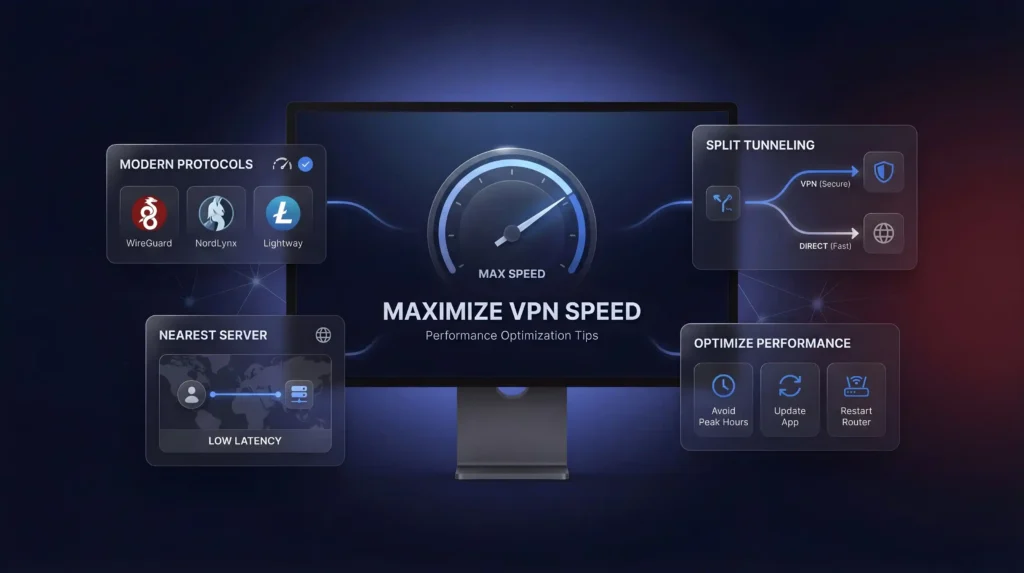
WireGuard, NordLynx and Lightway outperform OpenVPN by 30–50% in most speed tests. OpenVPN runs on a single CPU thread. WireGuard uses multi-threaded processing. This difference compounds on devices with faster processors.
To switch protocols in most VPN apps, open Settings, find the Protocol or Connection section and select WireGuard or the provider’s proprietary option. NordVPN users should select NordLynx. ExpressVPN users should select Lightway UDP for the fastest option.
Distance is the single biggest factor in latency. Every 1,000 miles between you and the server adds roughly 10–15 ms of ping. For a user in New York connecting to a server in the same city, latency might increase by only 2–4 ms. The same user connecting to London adds 70–90 ms.
Most VPN apps show server load percentages. Pick a nearby server with less than 50% load for the best combination of proximity and available bandwidth.
Split tunneling routes only the apps you choose through the encrypted VPN tunnel. Everything else connects directly. If you only need the VPN for your browser, your gaming client and video calls run at full native speed.
NordVPN, ExpressVPN and Surfshark all support split tunneling on Windows and Android. macOS support varies by provider. Enable it in the app’s settings under “Split Tunneling” or “Connection” preferences.
Some providers let you choose between AES-256 and AES-128 encryption. AES-128 is still considered secure by current standards. It reduces computational load by 5–8%, which translates to measurable speed gains on older hardware or mobile devices.
PIA and CyberGhost both offer this option. NordVPN and ExpressVPN default to AES-256 without a manual override.
Free VPNs share fewer servers among far more users, which creates congestion and inconsistent speeds. They are not suitable for streaming, gaming or any task that requires reliable bandwidth. For a detailed breakdown of free options and their tradeoffs, see our best free VPN guide.
The fastest VPN is the one that fits your setup. NordVPN leads in raw speed with just 3–6% download loss. ExpressVPN delivers unmatched consistency across long-distance connections. Surfshark offers the best value with unlimited devices. PIA provides the largest server network at a budget price. CyberGhost gives you task-optimized servers out of the box.
Pick the one that matches your priorities. Follow the speed tips above. Switch to WireGuard or its equivalent, connect to a nearby server and enable split tunneling for anything that doesn’t need encryption. You’ll keep your connection fast, secure and private.
Four factors decide it: VPN protocol, server proximity, network size, and encryption efficiency. Server proximity is the single biggest variable, since closer servers cut latency more than any other change you can make. Larger server networks also help by spreading users across more nodes so no single server gets overloaded during peak hours.
NordLynx is NordVPN’s WireGuard-based protocol, Lightway is ExpressVPN’s proprietary protocol, and Surfshark and PIA both run standard WireGuard. All three outperform older OpenVPN by roughly 30 to 50% in throughput, largely because OpenVPN processes encryption on a single CPU thread while these newer protocols use multi-threaded processing that scales better on modern hardware.
NordVPN loses the least, ranking #1 of 22 in our Speed Lab, aggregated from independent labs. Its NordLynx protocol keeps download speed loss to just 3 to 6% and upload loss to 5 to 7%, the tightest margin among the providers compared for this guide. That headroom matters most for 4K streaming and competitive gaming.
ExpressVPN ranks #8 of 22 in our Speed Lab, trailing our top overall speed pick on raw throughput. But its Lightway protocol holds up best on long routes: a US-to-Australia connection held steady on Lightway in testing while the same route on OpenVPN dropped sharply. If you connect internationally often, that consistency matters more than the rank gap.
NordVPN’s NordLynx protocol keeps download loss to 3 to 6%, enough margin for 4K across Netflix, Hulu, Disney+, Prime Video, and BBC iPlayer without buffering. ExpressVPN’s Lightway reportedly reaches 95% of major streaming platforms and performs especially well on long-distance connections. CyberGhost also runs dedicated streaming-optimized servers that cut speed loss by 15 to 20% versus its standard servers.
NordVPN, the top performer here, starts from $3.49/month on its longest-term plan, matching ExpressVPN’s entry price. Surfshark undercuts both at from $1.99/month while still running WireGuard and keeping download loss in the 8 to 15% range. CyberGhost and PIA both start from $2.03/month, trading some speed for a larger server network or longer refund window.
Surfshark and PIA both allow unlimited simultaneous connections, useful for households streaming and gaming at once without hitting a cap. NordVPN caps at 10 devices, still enough for most homes, while CyberGhost limits you to 7. Because Surfshark and PIA run WireGuard on every connection, adding devices doesn’t meaningfully add to the encryption overhead.
Open your VPN app’s Settings, then the Protocol or Connection section, and select the fastest option listed. NordVPN users should choose NordLynx, ExpressVPN users should pick Lightway UDP, and Surfshark or PIA users should select WireGuard. Moving off OpenVPN typically recovers 30 to 50% of the throughput its single-threaded processing gives up.
In your app’s settings, find “Split Tunneling” or “Connection” preferences and choose which apps route through the encrypted tunnel versus which connect directly. NordVPN, ExpressVPN, and Surfshark all support split tunneling on Windows and Android, though macOS support varies by provider. Excluding a gaming client or call app lets it run at native speed while your browser stays protected.
Switch to a nearby server first, since most apps display server load percentages and one under 50% load combined with proximity usually fixes the issue. Confirm you’re running a modern protocol like WireGuard, NordLynx, or Lightway rather than OpenVPN, restart your router to clear congestion, and avoid peak evening hours when popular servers get crowded.
CyberGhost offers a 45-day money-back guarantee, longer than the 30-day windows NordVPN, ExpressVPN, Surfshark, and PIA all provide. Those extra 15 days give more room to test speed across streaming, gaming, and file transfers on your own network and hardware before committing to a longer term.
Yes, modestly. PIA and CyberGhost both let you manually select AES-128 instead of AES-256, cutting computational overhead by roughly 5 to 8%, a difference most noticeable on older hardware or mobile devices. NordVPN and ExpressVPN default to AES-256 without a manual override, prioritizing consistent security over that marginal speed gain.
Yes, noticeably. Surfshark’s MultiHop routes traffic through two servers instead of one, adding roughly 20 to 30% more speed loss compared to a single-server WireGuard connection. It’s worth the tradeoff only when privacy outweighs performance; for speed-focused tasks like streaming or gaming, a standard single-server connection is the better choice.
Not reliably. Free VPNs share a small pool of servers among far more users than paid tiers, creating congestion and inconsistent speeds unsuited to 4K streaming, competitive gaming, or large file transfers. None of the five fastest providers covered here, NordVPN, ExpressVPN, Surfshark, PIA, or CyberGhost, run a free tier built for sustained performance.